In this article, Passkeys: A Simpler and Safer Way to Log In, we already discussed the advantages of passkeys over conventional login methods using a username and password. We looked at how passkeys use public-key cryptography, why they are resistant to phishing, and why your private key never needs to be sent to a website.
Now let’s get our hands dirty.
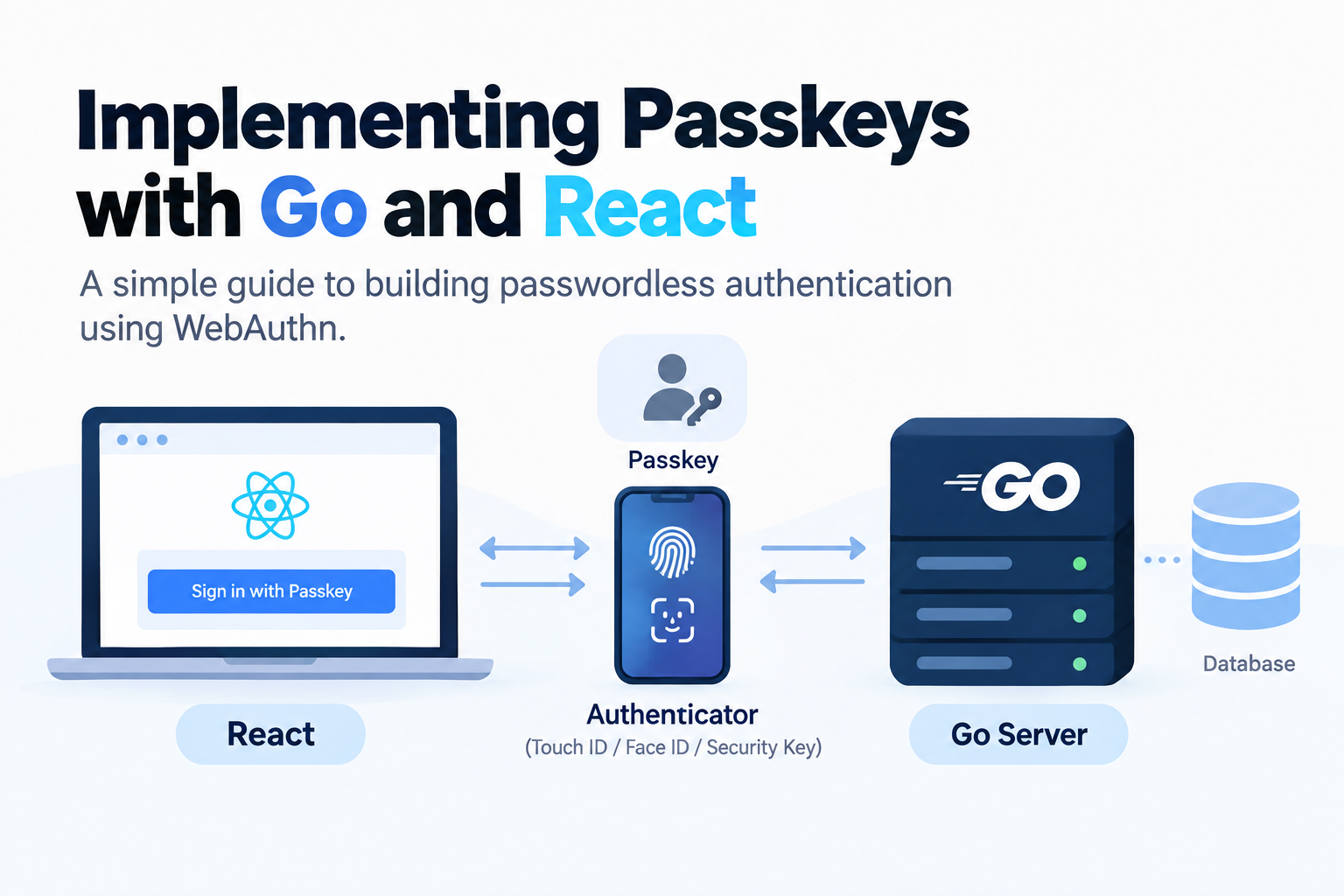
In this article, we’ll build a very simple passkey authentication system using Go and React. We’ll see what actually happens when a user registers a passkey, how the browser communicates with the authenticator, and how the server verifies a login without ever receiving a password or private key.
We’ll keep the implementation intentionally simple so we can focus on understanding the flow rather than building a production-ready authentication system.
What We’re Building
Our application will support two operations:
Register Passkey
       ↓
Login with Passkey
We’ll use:
- React for the frontend
- Go for the backend
- WebAuthn for passkey authentication
- go-webauthn/webauthn for the Go implementation
- A simple database or in-memory store for demonstration
The Go WebAuthn library provides high-level APIs such as BeginRegistration, FinishRegistration, BeginLogin, and FinishLogin, so we don’t need to implement the WebAuthn protocol ourselves. (Go Packages)
How Passkeys Fit Into the Architecture
Before looking at the code, let’s understand the architecture.
                         ┌──────────────────────┐
                         │      React App       │
                         │                      │
                         │  Register Passkey    │
                         │  Login with Passkey  │
                         └──────────┬───────────┘
                                    │
                              HTTPS / JSON
                                    │
                                    ▼
                         ┌──────────────────────┐
                         │      Go Server       │
                         │                      │
                         │       WebAuthn       │
                         │                      │
                         │  Create challenge    │
                         │  Verify response     │
                         └──────────┬───────────┘
                                    │
                                    ▼
                         ┌──────────────────────┐
                         │       Database       │
                         │                      │
                         │ User                 │
                         │ Credential ID        │
                         │ Public Key           │
                         │ Sign Counter         │
                         └──────────────────────┘


                  ┌─────────────────────────────┐
                  │    User's Authenticator     │
                  │                             │
                  │  iPhone / Android           │
                  │  Touch ID / Face ID         │
                  │  Windows Hello              │
                  │  Security Key               │
                  │                             │
                  │  🔐 Private Key             │
                  └─────────────────────────────┘
There is one very important detail in this diagram:
The private key stays with the authenticator.
Your Go server stores the public key, but never receives the private key.
The Two WebAuthn Ceremonies
Passkey authentication consists of two main ceremonies.
1. Registration
Registration happens when the user creates a passkey for your application.
Go Server
    │
    │ Generate challenge
    ▼
React
    │
    │ navigator.credentials.create()
    ▼
Authenticator
    │
    │ Generate key pair
    │
    │ Private Key 🔐
    │ Public Key
    ▼
React
    │
    │ Send credential
    ▼
Go Server
    │
    │ Verify credential
    ▼
Database
    │
    └── Store public key
2. Login
Login happens when the user wants to authenticate later.
Go Server
    │
    │ Generate challenge
    ▼
React
    │
    │ navigator.credentials.get()
    ▼
Authenticator
    │
    │ Sign challenge
    │ using private key 🔐
    ▼
React
    │
    │ Send signed response
    ▼
Go Server
    │
    │ Verify signature
    │ using public key
    ▼
    ✅ Authenticated
The server generates a fresh challenge for each ceremony. The authenticator then uses the private key to produce a response that the server can verify.
Setting Up the Go WebAuthn Library
We’ll use go-webauthn/webauthn.
Install it:
go mod init example.com/passkey-demo

go get github.com/go-webauthn/webauthn
The library provides the server-side implementation of the WebAuthn protocol and exposes high-level APIs for starting and finishing registration and authentication ceremonies. (Go Packages)
Creating a User
A simplified user model could look like this:
type User struct {
    ID          []byte
    Name        string
    DisplayName string

    Credentials []webauthn.Credential
}
The user needs to implement the interface expected by the WebAuthn library:
func (u *User) WebAuthnID() []byte {
    return u.ID
}

func (u *User) WebAuthnName() string {
    return u.Name
}

func (u *User) WebAuthnDisplayName() string {
    return u.DisplayName
}

func (u *User) WebAuthnCredentials() []webauthn.Credential {
    return u.Credentials
}
The important relationship is:
User
 │
 └── Credentials
       │
       ├── Credential ID
       ├── Public Key
       └── Sign Counter
A user can have multiple passkeys.
For example:
Michael
 │
 ├── MacBook passkey
 ├── iPhone passkey
 └── Security key
So don’t design your database assuming that one user can have only one credential.
Configuring WebAuthn
Create the WebAuthn instance:
webAuthn, err := webauthn.New(&webauthn.Config{
    RPDisplayName: "Passkey Demo",
    RPID:          "localhost",
    RPOrigins:     []string{
        "http://localhost:5173",
    },
})

if err != nil {
    log.Fatal(err)
}
Two configuration values are especially important:
RPID
RPOrigins
The RP, or Relying Party, is essentially your application.
For local development:
RPID      = localhost
RPOrigins = http://localhost:5173
For production, you might use:
RPID      = example.com
RPOrigins = https://example.com
The library requires the RP ID and RP origins to be configured for WebAuthn operations. (GitHub)
Registration: Begin
When the user clicks:
Create PasskeyReact calls:
POST /register/beginThe Go server finds the user and starts the registration ceremony:
func beginRegistration(w http.ResponseWriter, r *http.Request) {
    user := getUser()

    options, session, err :=
        webAuthn.BeginRegistration(user)

    if err != nil {
        http.Error(
            w,
            err.Error(),
            http.StatusInternalServerError,
        )
        return
    }

    saveSession(session)

    json.NewEncoder(w).Encode(options)
}
The important part is:
options, session, err :=
    webAuthn.BeginRegistration(user)
The library creates the registration options and session data, including the challenge.
The SessionData needs to be stored securely because it will be required later when the registration ceremony is completed. (Go Packages)
React Starts Registration
The browser’s WebAuthn API provides:
navigator.credentials.create()Conceptually:
const credential =
    await navigator.credentials.create({
        publicKey: options.publicKey
    });
The browser then communicates with the operating system’s authenticator.
In a real React application, you will usually want to use a WebAuthn browser library such as @simplewebauthn/browser instead of manually handling all the binary and Base64URL conversions.
Conceptually, the flow remains:
React
  │
  │ credentials.create()
  ▼
Browser
  │
  ▼
Authenticator
What Happens Inside the Authenticator?
This is where the magic happens.
Suppose the user clicks:
Create PasskeyThe browser asks the authenticator to create a credential for your application.
The authenticator creates a key pair:
Private Key 🔐
      +
Public Key
The private key remains protected by the authenticator.
The public key can be registered with the server.
So your database might eventually contain:
User ID: 123
Credential ID: abc123...
Public Key: ...
Sign Counter: 0
But it does not contain:
Private Key ❌This is the fundamental difference from a password-based system.
Registration: Finish
After the browser creates the credential, React sends the result back:
POST /register/finishFor example:
await fetch("/register/finish", {
    method: "POST",
    headers: {
        "Content-Type": "application/json"
    },
    body: JSON.stringify(result)
});
The Go server then verifies it:
func finishRegistration(w http.ResponseWriter, r *http.Request) {
    user := getUser()
    session := loadSession()

    credential, err :=
        webAuthn.FinishRegistration(
            user,
            *session,
            r,
        )

    if err != nil {
        http.Error(
            w,
            "registration failed",
            http.StatusBadRequest,
        )
        return
    }

    user.Credentials =
        append(user.Credentials, *credential)

    saveUser(user)

    json.NewEncoder(w).Encode(map[string]string{
        "message": "passkey registered",
    })
}
FinishRegistration parses and validates the authenticator response against the user and the stored session data. (GitHub)
We don’t have to manually implement things like:
- challenge validation
- credential parsing
- origin validation
- RP ID validation
- authenticator data parsing
- cryptographic signature validation
That’s precisely what the WebAuthn library is there for.
Login: Begin
Now imagine the user returns to the application.
Instead of:
Email
Password
they click:
Sign in with PasskeyReact calls:
POST /login/beginThe Go server starts the authentication ceremony:
func beginLogin(w http.ResponseWriter, r *http.Request) {
    user := getUser()

    options, session, err :=
        webAuthn.BeginLogin(user)

    if err != nil {
        http.Error(
            w,
            err.Error(),
            http.StatusInternalServerError,
        )
        return
    }

    saveSession(session)

    json.NewEncoder(w).Encode(options)
}
Again, the server generates a fresh challenge.
The current Go library documentation describes BeginLogin as creating the assertion data sent to the user agent and returning the SessionData that must later be supplied to FinishLogin. (Go Packages)
React Asks the Authenticator to Sign In
The browser calls:
navigator.credentials.get()Conceptually:
const credential =
    await navigator.credentials.get({
        publicKey: options.publicKey
    });
The authenticator finds the appropriate passkey and asks the user to authenticate.
For example:
┌──────────────────────────────┐
│       Sign in to Example     │
│                              │
│       👤 Michael             │
│                              │
│        [ Touch ID ]          │
└──────────────────────────────┘
Once the user approves, the authenticator signs the challenge using the private key.
Conceptually:
signature = Sign(privateKey, challenge)The private key itself never leaves the authenticator.
Login: Finish
React sends the authentication response to:
POST /login/finishThe Go server validates it:
func finishLogin(w http.ResponseWriter, r *http.Request) {
    user := getUser()
    session := loadSession()

    _, err :=
        webAuthn.FinishLogin(
            user,
            *session,
            r,
        )

    if err != nil {
        http.Error(
            w,
            "authentication failed",
            http.StatusUnauthorized,
        )
        return
    }

    createApplicationSession(user)

    json.NewEncoder(w).Encode(map[string]string{
        "message": "login successful",
    })
}
The library validates the authentication response against the user’s credentials and the stored session data. (Go Packages)
If everything is valid:
Signature valid
       +
Challenge valid
       +
Credential valid
       +
RP validation successful
       ↓
       ✅
   Authenticated
Your application can then create its normal application session, for example using a secure HTTP-only cookie.
The Complete Registration Flow
Now we can put the entire registration process together:
┌──────────┐
│  React   │
└────┬─────┘
     │
     │ POST /register/begin
     ▼
┌──────────┐
│    Go    │
└────┬─────┘
     │
     │ challenge + options
     ▼
┌──────────┐
│  React   │
└────┬─────┘
     │
     │ credentials.create()
     ▼
┌──────────────────┐
│   Authenticator  │
│                  │
│ Private Key 🔐   │
│ Public Key       │
└────────┬─────────┘
         │
         │ credential
         ▼
┌──────────┐
│  React   │
└────┬─────┘
     │
     │ POST /register/finish
     ▼
┌──────────┐
│    Go    │
│          │
│  Verify  │
└────┬─────┘
     │
     │ Store credential
     ▼
┌──────────┐
│ Database │
└──────────┘
The Complete Login Flow
And login:
┌──────────┐
│  React   │
└────┬─────┘
     │
     │ POST /login/begin
     ▼
┌──────────┐
│    Go    │
└────┬─────┘
     │
     │ challenge
     ▼
┌──────────┐
│  React   │
└────┬─────┘
     │
     │ credentials.get()
     ▼
┌──────────────────┐
│   Authenticator  │
│                  │
│ Private Key 🔐   │
│       │          │
│       ▼          │
│ Sign challenge   │
└────────┬─────────┘
         │
         │ signed response
         ▼
┌──────────┐
│  React   │
└────┬─────┘
     │
     │ POST /login/finish
     ▼
┌──────────┐
│    Go    │
│          │
│ Verify   │
│ signature│
└────┬─────┘
     │
     ▼
   ✅ Login
What Does the Server Actually Store?
With password authentication, your database might contain:
User
 ├── Email
 └── Password Hash
With passkeys, it instead stores a WebAuthn credential:
User
 └── Passkey
      ├── Credential ID
      ├── Public Key
      └── Sign Counter
The public key is not a secret.
That’s the point.
The server can use it to verify signatures without ever possessing the corresponding private key.
Why Does the Challenge Matter?
You might wonder:
If the server already has the public key, why can’t someone just replay an old login response?
That’s where the challenge comes in.
The server generates a fresh, unpredictable challenge:
challenge = "7f83a1c9..."The authenticator signs it:
signature = Sign(privateKey, challenge)The server verifies:
Verify(
    publicKey,
    challenge,
    signature
)
An old response won’t be valid for a new challenge.
So, conceptually:
Old challenge
     │
     ▼
Old signature
     │
     └── ❌ Can't simply replay it

New challenge
     │
     ▼
New signature
     │
     └── ✅ Valid authentication
Why Is This Different From a Password?
With a password:
User
  │
  │ password
  ▼
Website
The user knows a secret and sends that secret to the website.
With a passkey:
User
  │
  ▼
Authenticator
  │
  │ private key 🔐
  ▼
Signature
  │
  ▼
Website
The user doesn’t send the secret itself.
The authenticator proves possession of the private key.
This is one of the fundamental reasons passkeys can provide phishing-resistant authentication.
What About Face ID and Fingerprints?
An important clarification:
Your website doesn’t receive the user’s fingerprint or face data.
For example:
Face ID
   │
   ▼
Authenticator
   │
   │ unlock/use credential
   ▼
Private Key 🔐
   │
   ▼
Signature
   │
   ▼
Website
The biometric authentication happens locally on the user’s device.
Your server receives the WebAuthn authentication response, not the biometric data. (GoBlog)
A Simple Database Schema
A simplified database could look like:
CREATE TABLE users (
    id UUID PRIMARY KEY,
    email TEXT UNIQUE NOT NULL
);

CREATE TABLE passkeys (
    id UUID PRIMARY KEY,
    user_id UUID NOT NULL REFERENCES users(id),

    credential_id BYTEA NOT NULL,
    public_key BYTEA NOT NULL,

    sign_count BIGINT NOT NULL DEFAULT 0,

    created_at TIMESTAMP NOT NULL
);
In a real implementation, use the credential structure required by your WebAuthn library rather than assuming these fields alone are sufficient.
The important conceptual relationship is:
users
  │
  └── passkeys
         │
         ├── credential ID
         ├── public key
         └── sign counter
Don’t Implement WebAuthn Yourself
At this point, you might think:
“This doesn’t look that complicated. I can just implement the cryptography myself.”
Don’t.
WebAuthn involves much more than generating a key pair and verifying a signature.
There are:
- challenges
- origins
- RP IDs
- client data
- authenticator data
- credential IDs
- COSE keys
- user verification
- flags
- signature counters
- extensions
- attestation
- discoverable credentials
A mature WebAuthn library handles the protocol details and validation for you.
For our Go application, go-webauthn/webauthn provides the high-level APIs that handle these ceremonies. (Go Packages)
One Important Detail: Session Data
There is one piece we intentionally simplified:
saveSession(session)When you call:
BeginRegistration()or:
BeginLogin()the library returns SessionData.
You need to keep that data until the corresponding Finish... function is called.
For example:
/register/begin
      │
      ├── challenge
      └── SessionData
             │
             ▼
          storage
             │
             ▼
/register/finish
             │
             └── FinishRegistration()
The session data should be stored securely and associated with the appropriate user/browser session. The library documentation specifically warns that the user agent must not be able to modify this data. (Go Packages)
For a demo:
map[sessionID]SessionDatamight be enough.
For production, you could use:
Redis
Database
Secure server-side session
HTTPS in Production
WebAuthn is designed to work in secure contexts.
For production, your application should use:
https://example.comrather than:
http://example.comLocal development commonly uses localhost, which browsers treat specially for development purposes.
A typical production architecture might therefore look like:
                    Internet
                       │
                       ▼
                 ┌───────────┐
                 │   HTTPS   │
                 │   Proxy   │
                 └─────┬─────┘
                       │
                       ▼
                ┌──────────────┐
                │ Go API       │
                │              │
                │ WebAuthn     │
                └──────┬───────┘
                       │
                       ▼
                 ┌───────────┐
                 │ PostgreSQL│
                 └───────────┘
The Mental Model
If you remember only one thing from this article, remember this:
Registration
Server
  │
  │ "Here's a challenge."
  ▼
Browser
  │
  │ "Create a passkey."
  ▼
Authenticator
  │
  ├── Private key 🔐
  └── Public key
         │
         ▼
       Server
         │
         └── stores public key
Login
Server
  │
  │ "Here's a new challenge."
  ▼
Browser
  │
  │ "Authenticate."
  ▼
Authenticator
  │
  │ signs challenge
  │ using private key 🔐
  ▼
Browser
  │
  │ signed response
  ▼
Server
  │
  │ verifies using public key
  ▼
  ✅ Authenticated
That’s passkeys in a nutshell.
The server doesn’t need your password.
It doesn’t need your private key.
It doesn’t need your fingerprint.
It simply needs to verify that the authenticator possessing the private key can produce a valid response to the server’s challenge.
Final Architecture
Putting everything together:
                         ┌───────────────────┐
                         │    React App      │
                         │                   │
                         │ Register          │
                         │ Login             │
                         └─────────┬─────────┘
                                   │
                       WebAuthn API│
                                   │
                    ┌──────────────▼──────────────┐
                    │       Browser / OS          │
                    │                             │
                    │ navigator.credentials       │
                    │       .create()             │
                    │       .get()                │
                    └──────────────┬──────────────┘
                                   │
                                   ▼
                         ┌──────────────────┐
                         │   Authenticator  │
                         │                  │
                         │ 🔐 Private Key   │
                         │                  │
                         │ Face ID          │
                         │ Touch ID         │
                         │ Windows Hello    │
                         │ Security Key     │
                         └──────────────────┘


                              HTTPS
                                │
                                ▼

                    ┌─────────────────────────┐
                    │        Go API           │
                    │                         │
                    │   go-webauthn           │
                    │                         │
                    │ BeginRegistration()     │
                    │ FinishRegistration()    │
                    │                         │
                    │ BeginLogin()            │
                    │ FinishLogin()           │
                    └────────────┬────────────┘
                                 │
                                 ▼
                       ┌──────────────────┐
                       │    Database      │
                       │                  │
                       │ User             │
                       │ Credential ID    │
                       │ Public Key       │
                       │ Sign Counter     │
                       └──────────────────┘
The key idea is simple:
Passkeys don’t send a secret to the server. Instead, the authenticator proves that it possesses a private key, while the server verifies that proof using the corresponding public key.
And that’s the practical side of what we discussed in the previous article: passkeys aren’t just a different-looking login button. They’re a fundamentally different authentication model.